Judgmental Lending Portal
Creating an efficient agent-facing judgmental lending dashboard.
Role — UX Designer @Mphasis
Timeline — March 2026
Tools — Figma
Designing for the other side of the call
We are all familiar with the struggles of dealing with credit card issues, and having to contact the customer service helplines at our bank. However, many of us may not realize the sheer amount of data and information the operator/agent at the other end of the line is dealing with. Agents usually have to look through many tabs of information and data on the customer for verification and background check, before being able to make an informed judgment. Moreover, reading out important disclosures word-to-word, especially related to sensitive client information is absolutely crucial. Failure in doing so can result in serious legal compliance issues.
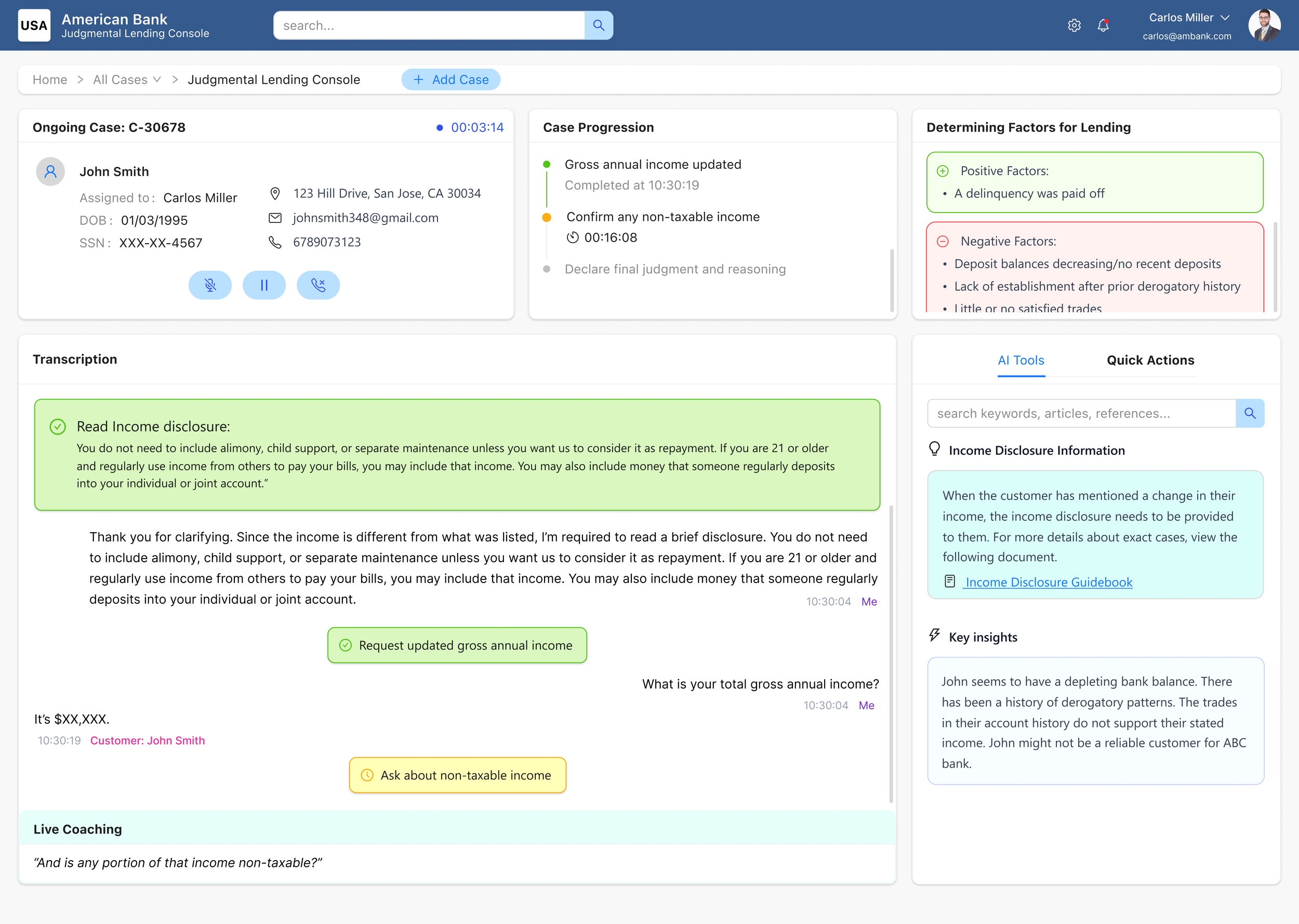
Through this project, I was able to design from the perspective of an agent from a hypothetical bank called ‘American Bank’, and create a scenario where they are evaluating the customer’s eligibility for a new credit card product, and go through multiple determining factors to accept or reject the application.
Design Language
For this project, I utilized the Ant design system. The Ant design library offers a wide range of components that are customizable in many sizes and colors, making it a very efficient and flexible library which fit my use case perfectly.
The Process
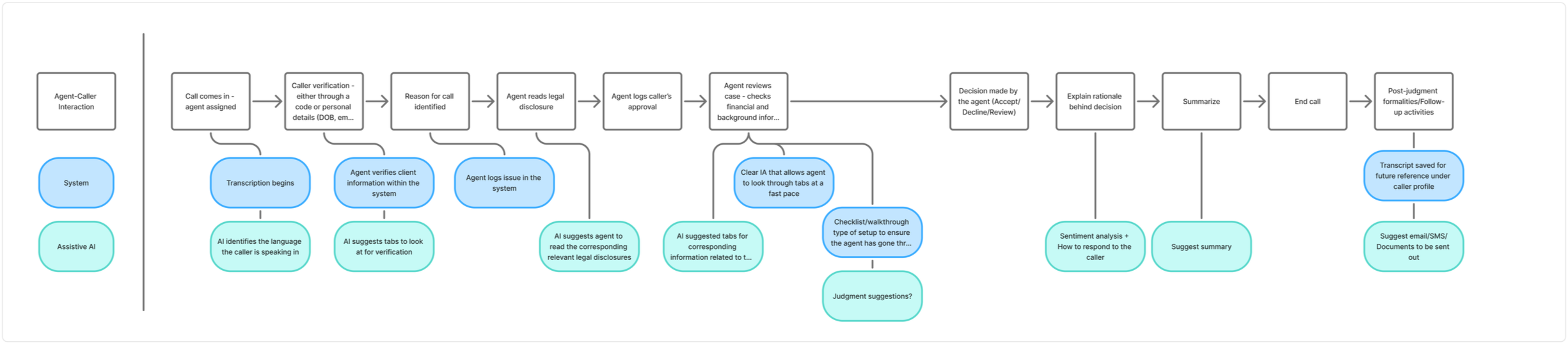
Our user’s story begins with the agent’s point-of-view, where he gets a call from an existing customer regarding his rejected credit card application. The following process diagram gives a glimpse of the user’s journey, where certain actions are performed by assistive AI and some actions are system protocols.
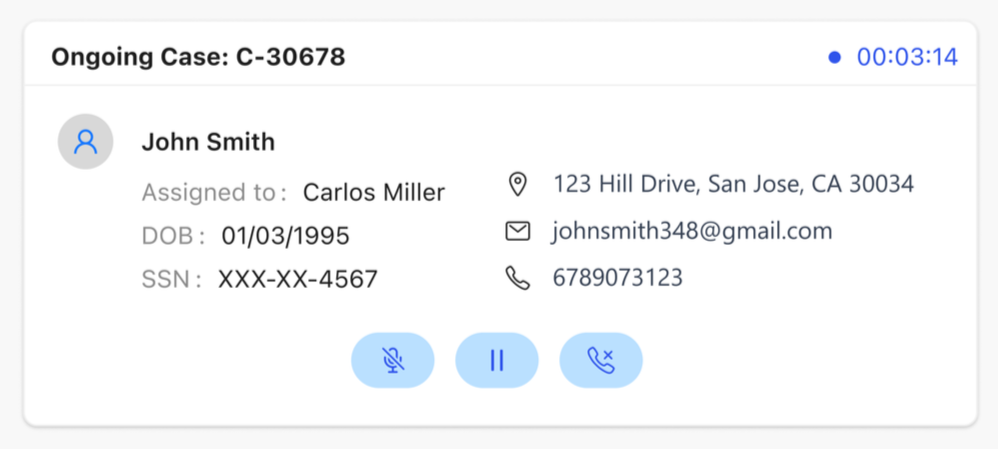
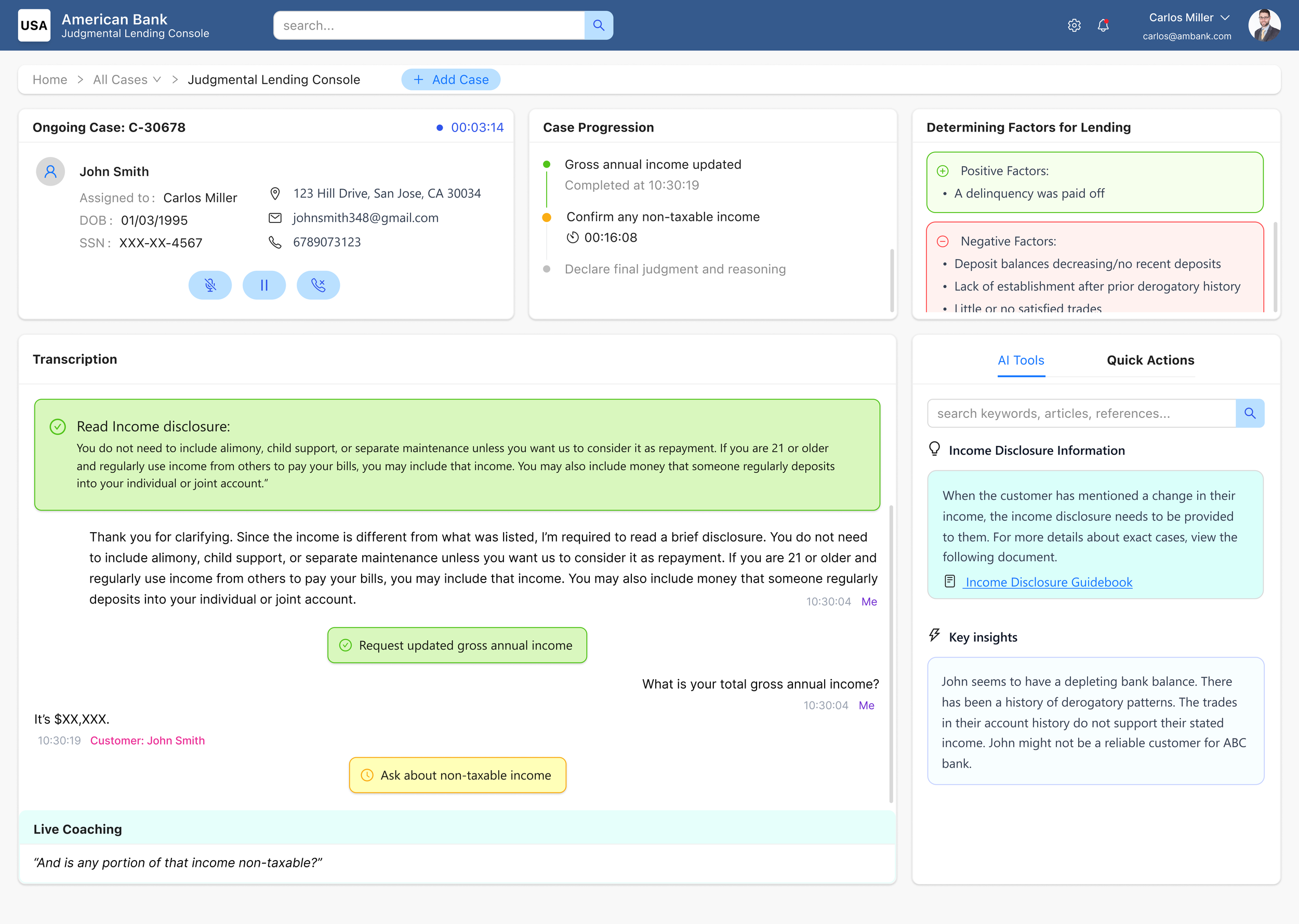
When the customer first calls in, their profile section displays some general information on them, like their name, date of birth and social security number, as well as their contact information.
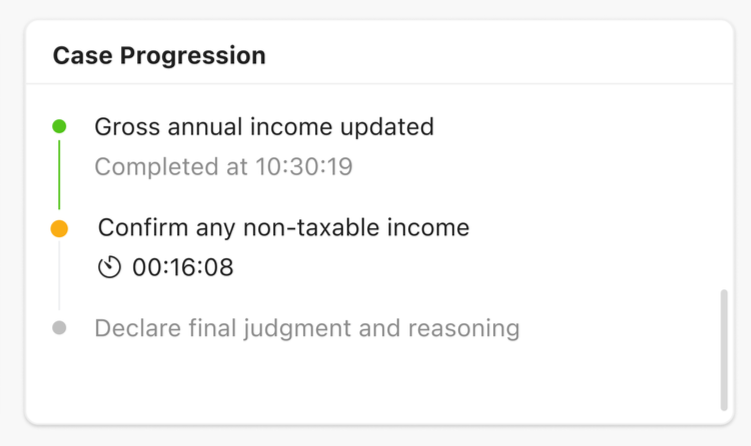
The ‘Case Progression’ section gives the agent an overview of the current case timeline, and the steps completed, in progress, and yet to be completed steps in the call, with timestamps to the milisecond to record and track efficiency. For actions in progress, the step includes a timer indicating the current duration of the task underway.
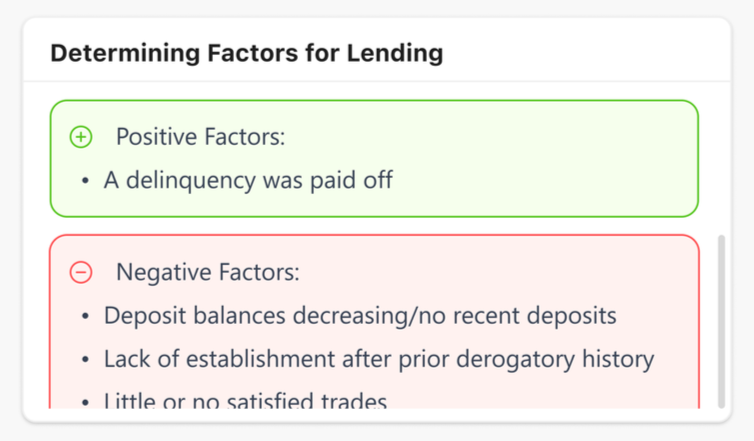
The ‘Determining Factors for Lending’ section populates information once the client’s identity is verified. Once the agent has verified the caller’s ID through the last 4 digits of his social security number, they are presented with these positive and negative factors of the customer’s profile populated from the bank’s database. These factors are utilized by the agent to make an appropriate decision on the final verdict.
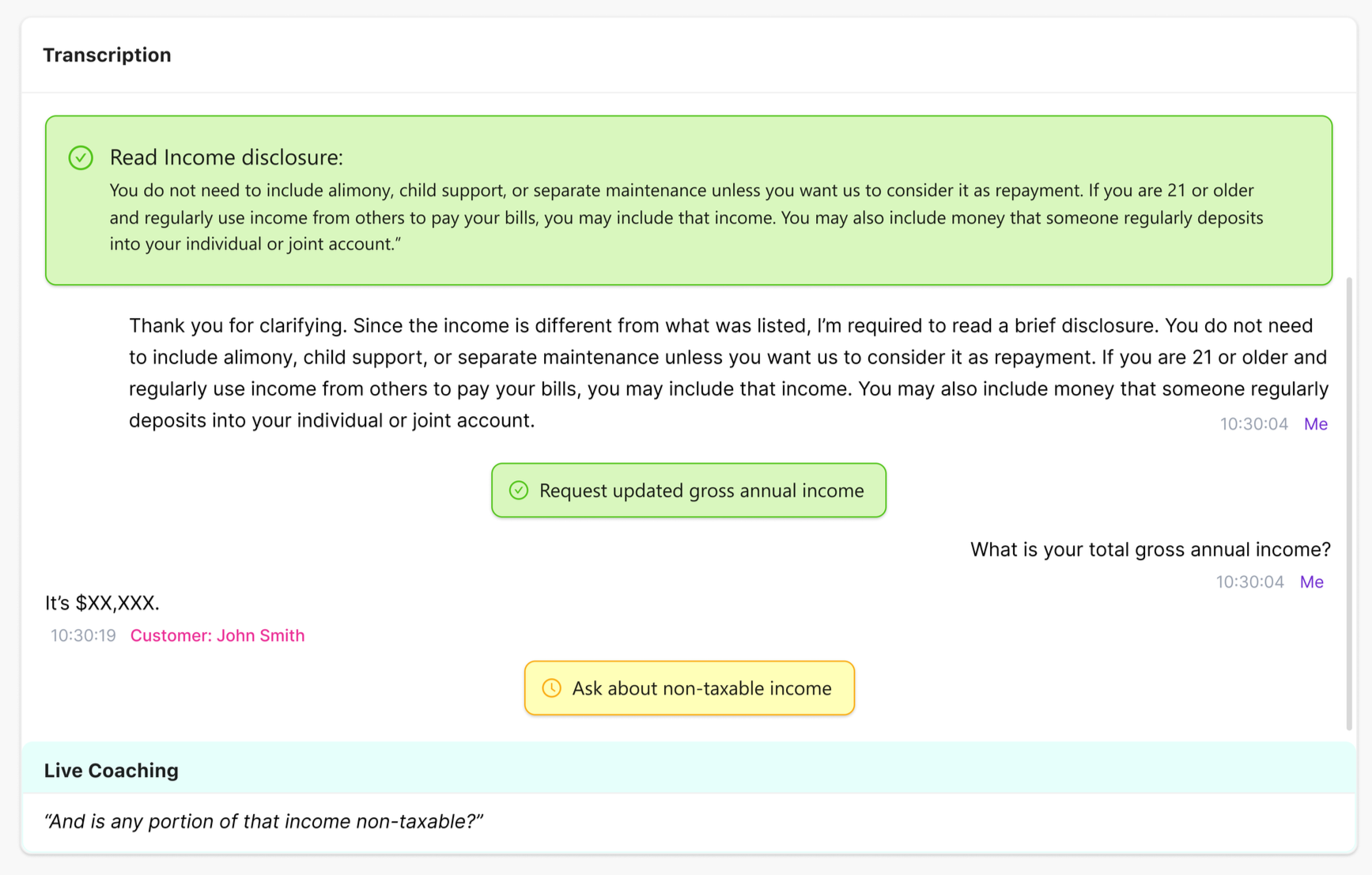
The call is being transcribed, and the built-in AI ‘Live Coaching’ is providing actionable insights through the content the agents need to communicate to the customers, and through the brightly colored tags to draw the agent’s attention to the step they are supposed to performing. Green tags are completed tasks, yellow are tasks in action, and red are incompleted/skipped.
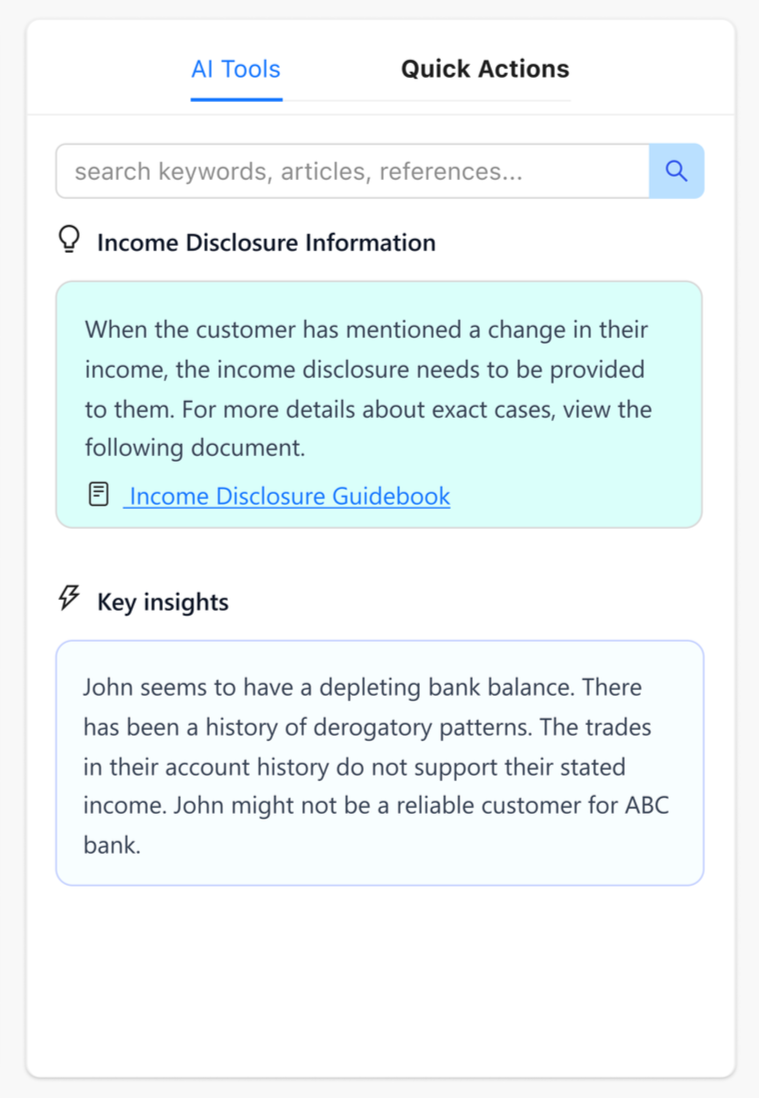
The agent can choose to look at the AI Tools tab to get more detailed insights, and any relevant documents to the current process. It also showcases a short summary on the customer and their profile
The Quick Actions tab includes various functionalities that the agent can utilize to perform actions at a click, like reissuing payments, creating new tasks, adding notes, correcting payee address, or sending the customer a case summary.
All of these elements come together to make a platform that is a unified agent workspace that simplifies complex credit card support workflows by combining customer data, AI-driven insights, and guided task progression into a single interface. It reduces cognitive load, supports compliance, and enables faster, more informed decision-making during live calls.
Takeaways
The importance of Information Architecture: Designing for information-heavy internal tools requires strong information hierarchy and cognitive load reduction to support fast decision-making. Hence, ensuring that all of the information is situated in logical manner was critical.
Balancing AI inputs without fuss: AI can enhance user experience when used to surface relevant insights and guide actions, without overwhelming the user.
End-to-end workflow thinking: This project helped me strengthen my ability to map complete user journeys, from call initiation to resolution, rather than focusing on isolated screens. This mapping informed my design for this dashboard with state changes, edge cases, and task progression in mind.